Product tour

See every screen before you sign up.

This is the actual app: the dashboard, the job pipeline, quotes, invoices, timesheets, compliance and the numbers at the end of the month.

The workflow, end to end

  • Win work

    Customer records, enquiry forms, quotes with a customer approval link.

  • Run work

    Job pipeline, calendar, crew dispatch, job notes, photos, stages and site logs.

  • Cost work

    Labour, materials, supplier invoices, markups and live job profitability.

  • Stay compliant

    SWMS, JSA, pre-starts, worker credentials, certificates, digital signatures.

  • Get paid

    Invoices, progress claims, retention, payment tracking, accounting quicklinks.

  • See the business

    Dashboard, reports, analytics and data export.

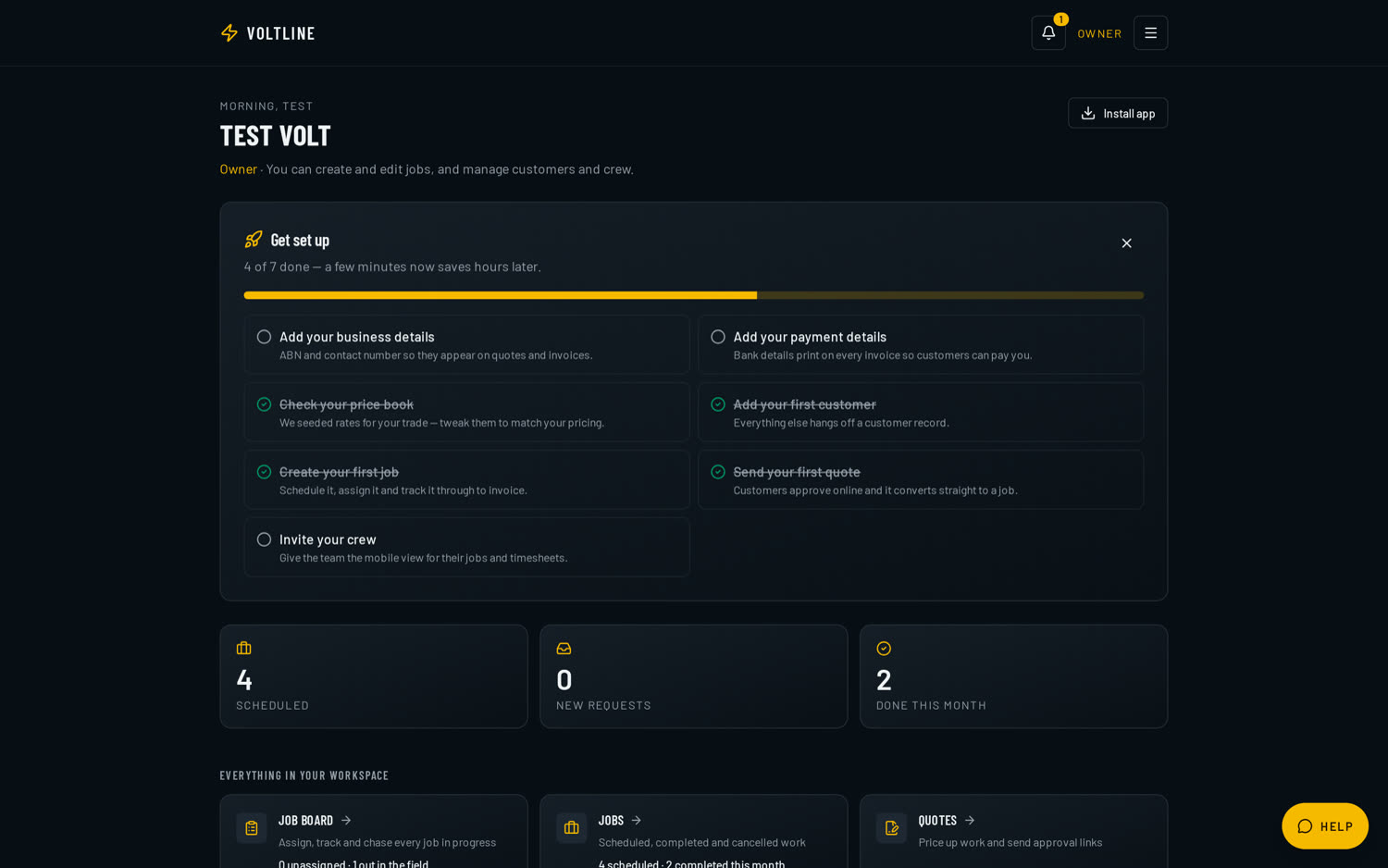
The VoltLine owner dashboard on a dark screen, showing setup progress, today's job numbers and a card for every module.
The owner dashboard — setup progress, today's numbers and every module one tap away.

All plans

Job requests & enquiry inbox

A public request link and printable QR code customers use to send you work. Every enquiry lands in a New / Accepted / Declined inbox where you can amend the details and turn it into a job in one tap.

Enquiries stop living in voicemail and texts — they arrive as jobs waiting to be booked.

  • Shareable request link plus a printable QR code for the van and site signage
  • New, Accepted and Declined inbox with urgency badges
  • Amend the customer's details before you accept
  • Accept once and it becomes a job with the customer attached
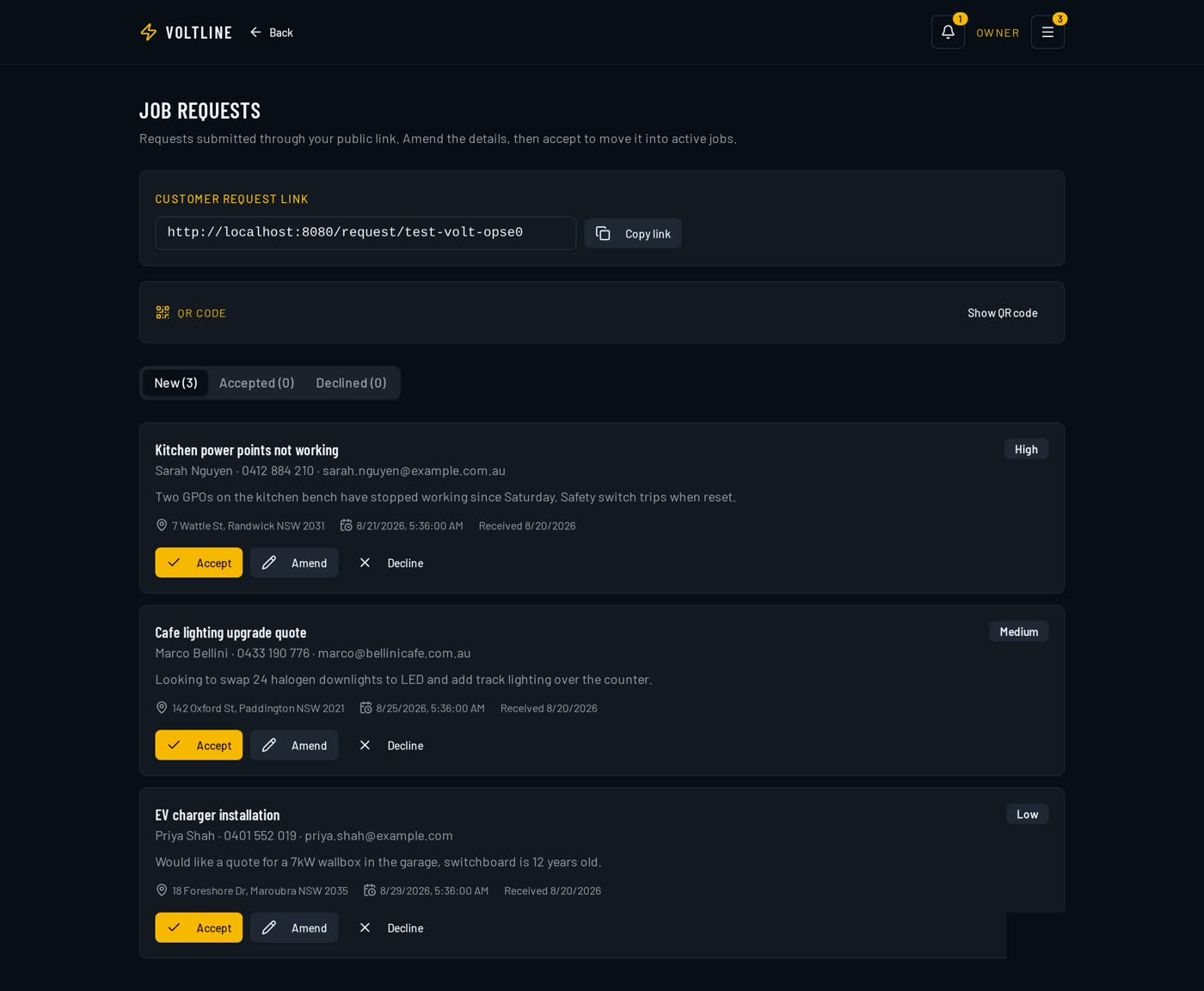
VoltLine job requests inbox showing customer enquiries with urgency badges and Accept, Amend and Decline actions, plus the public request link and QR code.
Job requests inbox — public request link, QR code and one-tap accept.

All plans

Customers & enquiries

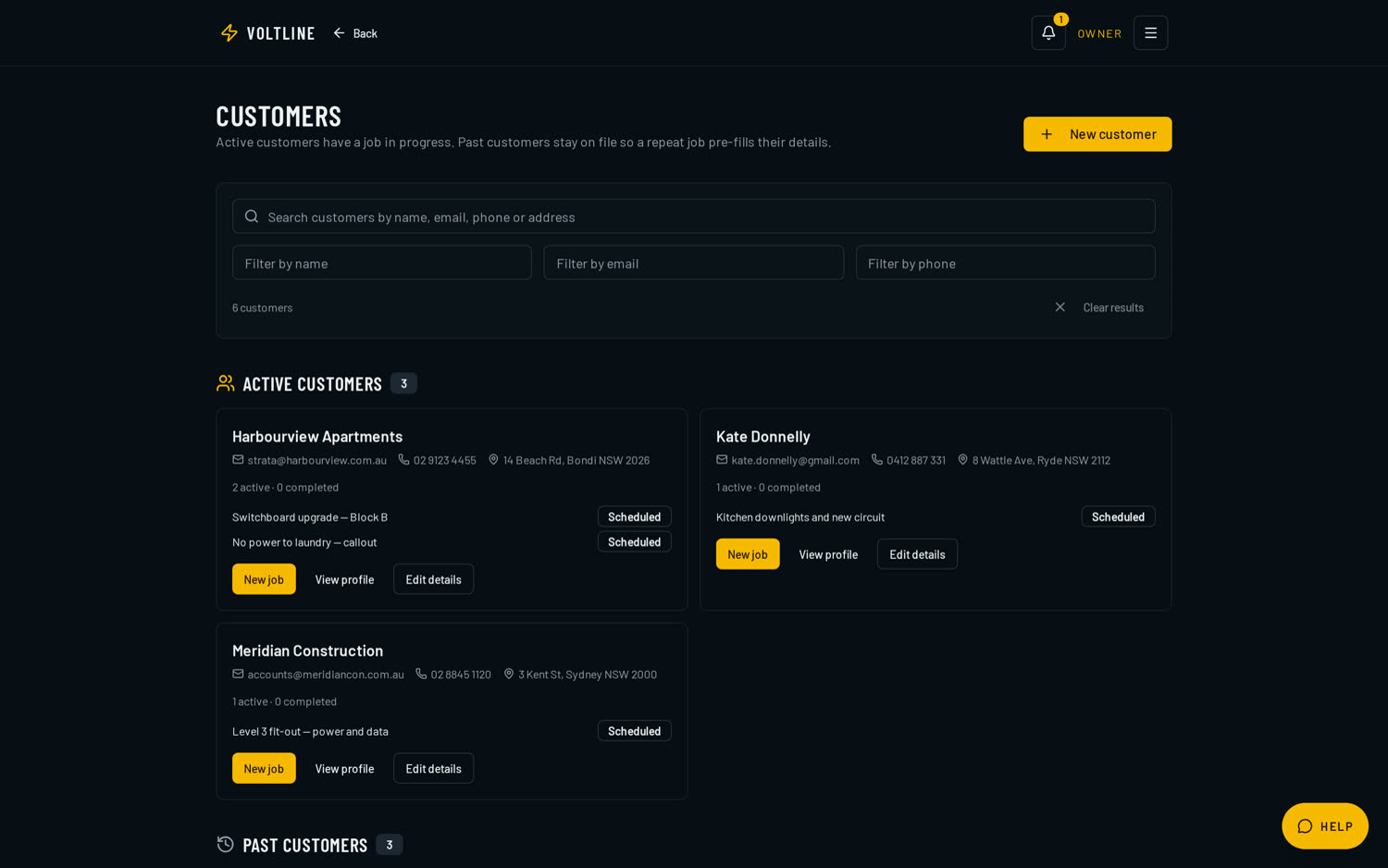
A proper CRM for trades: contacts, sites, job history and notes in one record. Public enquiry forms turn website visitors into job requests that land straight in the app.

No more scrolling texts to find an address or what you quoted last time.

  • Active and past customers, with repeat jobs pre-filling their details
  • Search by name, email, phone or address
  • Every job, quote and invoice attached to the customer record
  • Public enquiry form that creates a request inside VoltLine
VoltLine customers screen listing active customers with contact details, addresses and their current jobs.
Customer records with contact details, sites and full job history.

All plans

Jobs, scheduling & dispatch

Job pipeline from enquiry to complete, a drag-friendly calendar, crew assignment, a job board for unallocated work and a mobile 'my jobs' view for the field. Weather-sensitive jobs are flagged.

Everyone knows where they're going without a morning phone call.

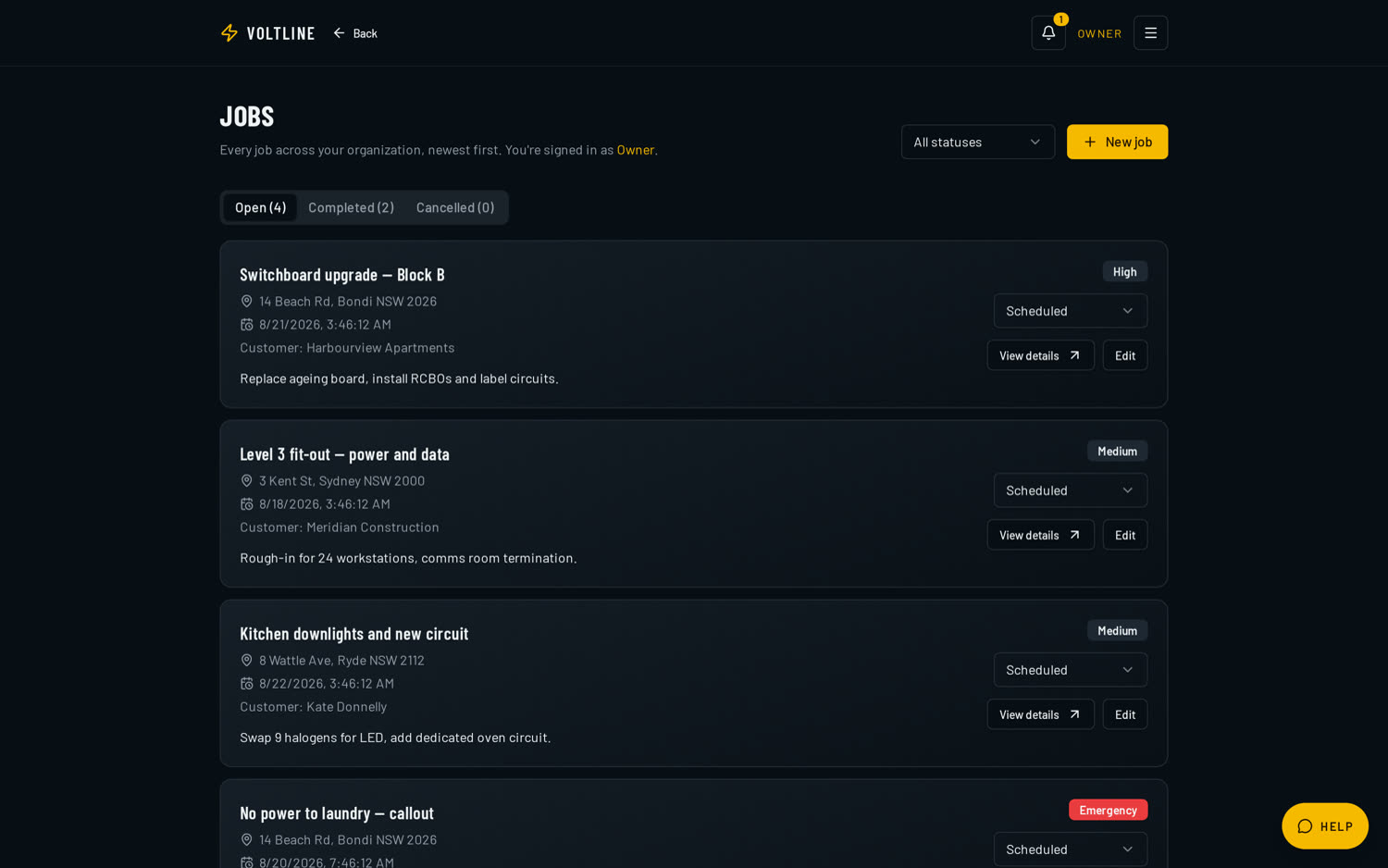
  • Pipeline with status, urgency, customer and assigned crew at a glance
  • Shared calendar so nobody double-books a crew
  • Job board for unallocated and in-progress work
  • Mobile 'my jobs' view with notes, photos and site logs
VoltLine job pipeline listing jobs with status badges, urgency levels, customer names and assigned crew.
The job pipeline — status, urgency, customer and crew at a glance.

All plans

The job record

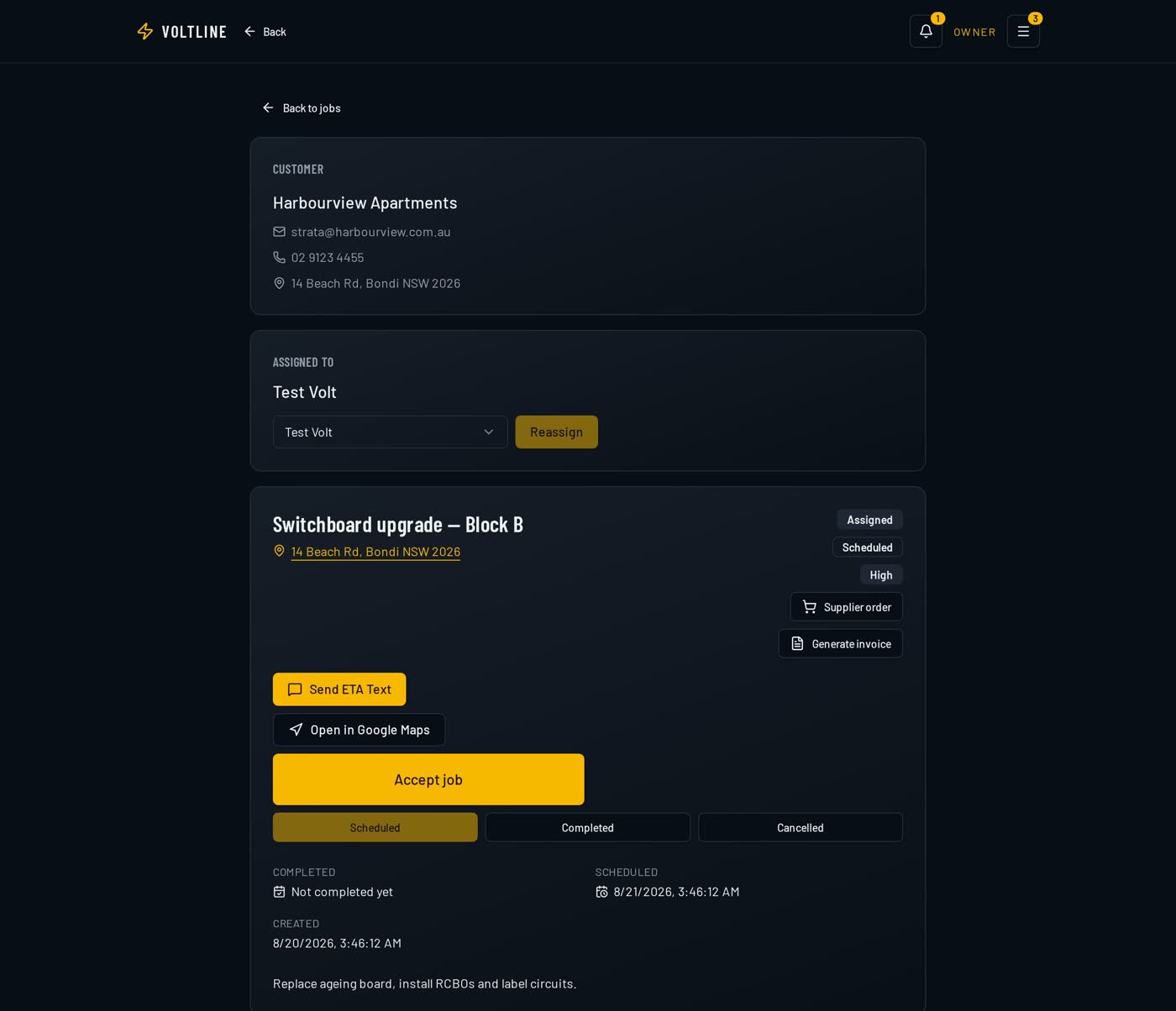
One record per job: customer, site address, who's assigned, live status buttons for the field, ETA SMS, Google Maps directions, supplier orders, generate invoice, notes and the full site log.

Everything about a job lives in one place instead of across a diary, a phone and a glovebox.

  • Customer, site address and assigned worker on the one screen
  • Live lifecycle buttons: on the way, started, paused, completed
  • ETA SMS to the customer and Maps directions for the crew
  • Order materials, generate the invoice and log everything on site
VoltLine job detail screen showing the customer, site address, assigned worker, live job status buttons, ETA SMS and generate invoice actions.
The single job record — status, ETA SMS, supplier orders, invoicing and site log.

All plans

My jobs — the field view

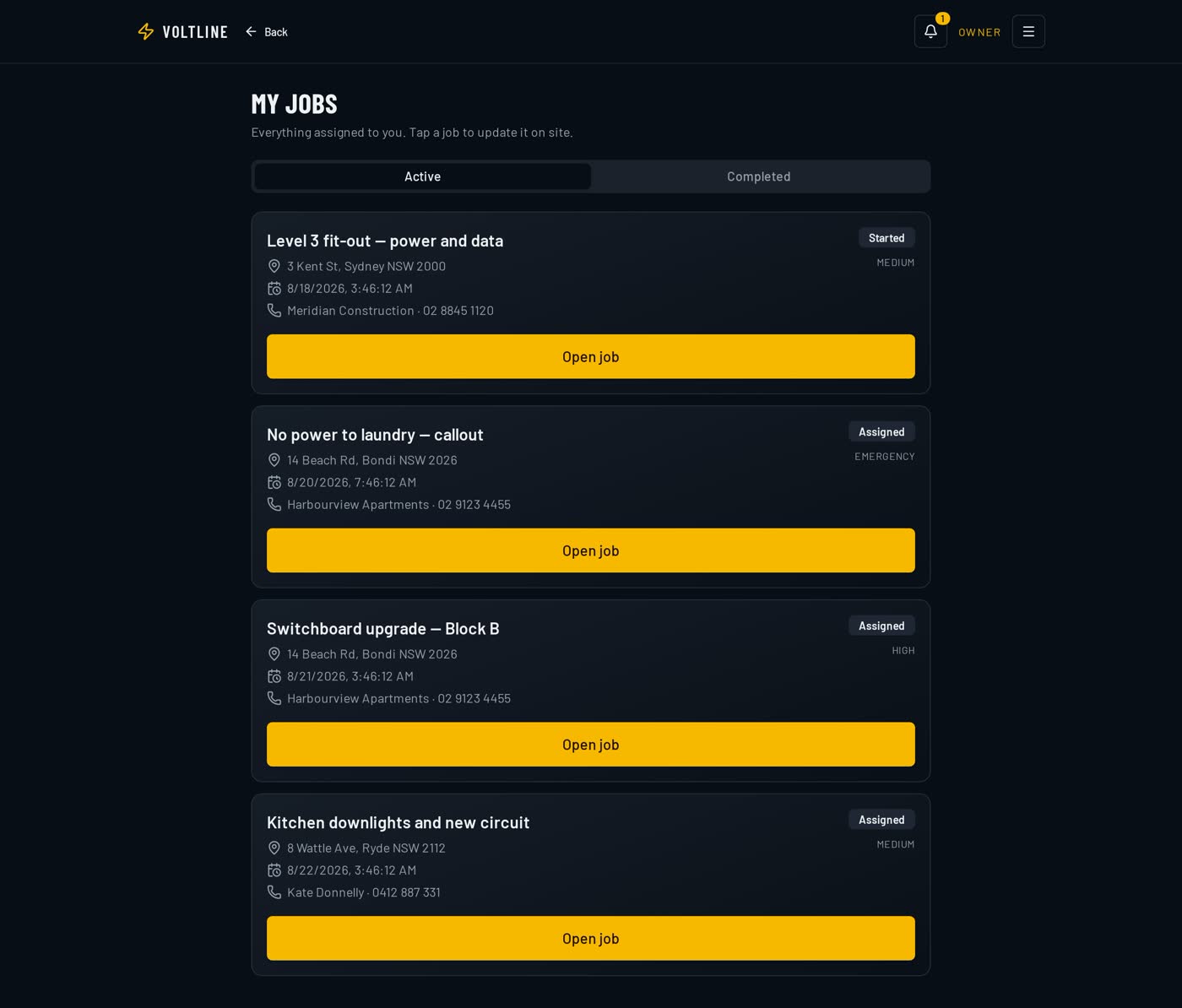
What the crew sees on their phone: only the jobs assigned to them, with status, address, schedule and one big Open job button.

Nothing to wade through — the worker opens the app and sees today's work.

  • Only the jobs assigned to that worker
  • Status, address and scheduled time on each card
  • One tap into the job record, notes, photos and site log
  • Built for a phone in a work glove
VoltLine My Jobs screen on a field worker's device listing assigned jobs with Started and Assigned status badges.
My jobs — the field worker's phone view of their own work.

All plans

Shared calendar

One calendar the whole business shares, showing who is on what and when, including emergency and weather-sensitive work.

The schedule stops living in someone's head or a whiteboard in the office.

  • Month, week and day views
  • Colour-coded urgency, including emergency call-outs
  • Crew assignment straight from the calendar
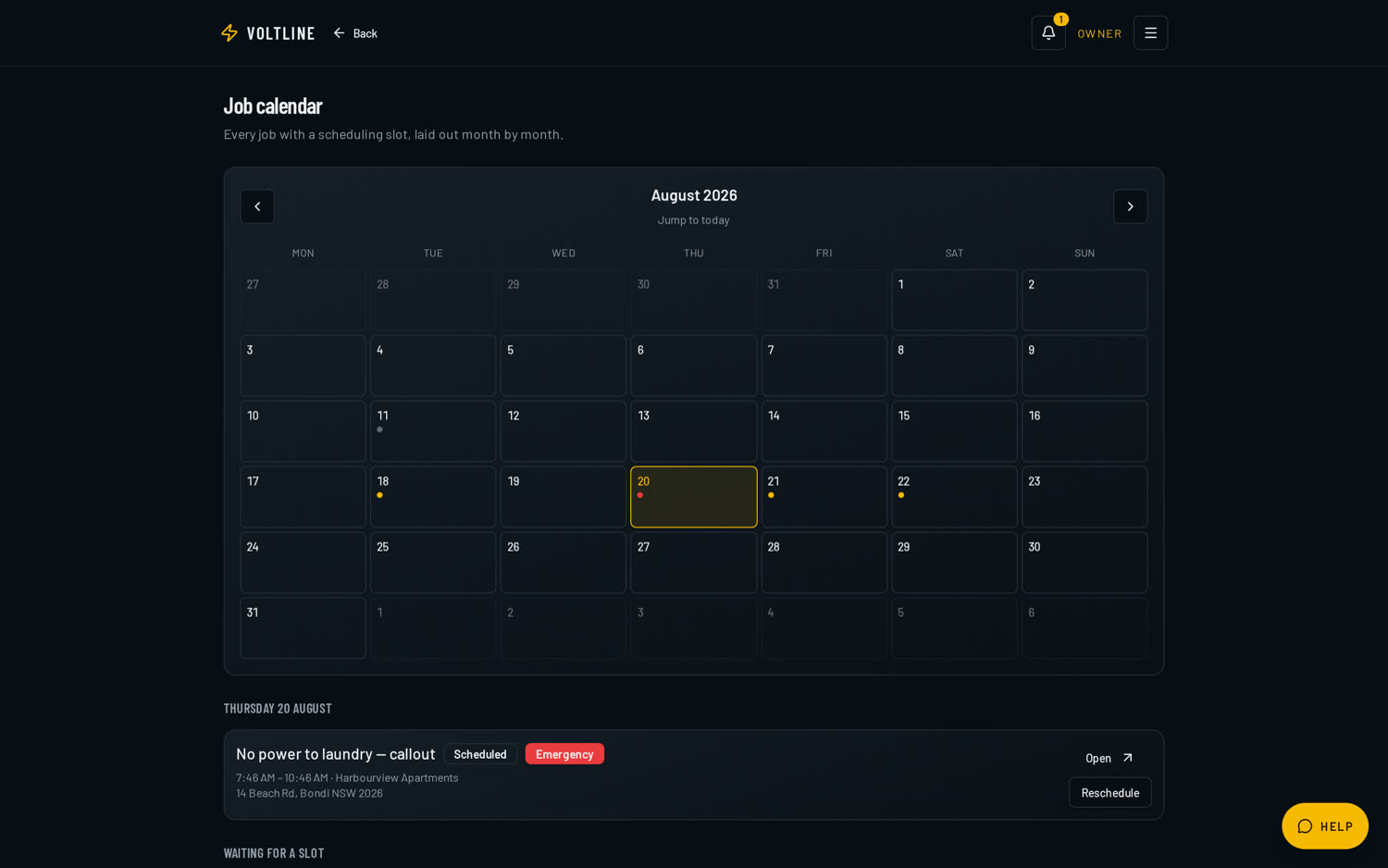
VoltLine shared job calendar showing a month view with a scheduled emergency job.
Shared job calendar — who is on what, and when.

All plans

Job board

A live board of unallocated and in-progress work, updated by the crew as they accept, travel, start, pause and complete jobs.

The board shows what is actually happening on site, not what someone remembered to report.

  • Statuses: unassigned, assigned, accepted, on the way, started, paused, completed
  • Assign or reassign in a tap
  • Search across job, customer and address
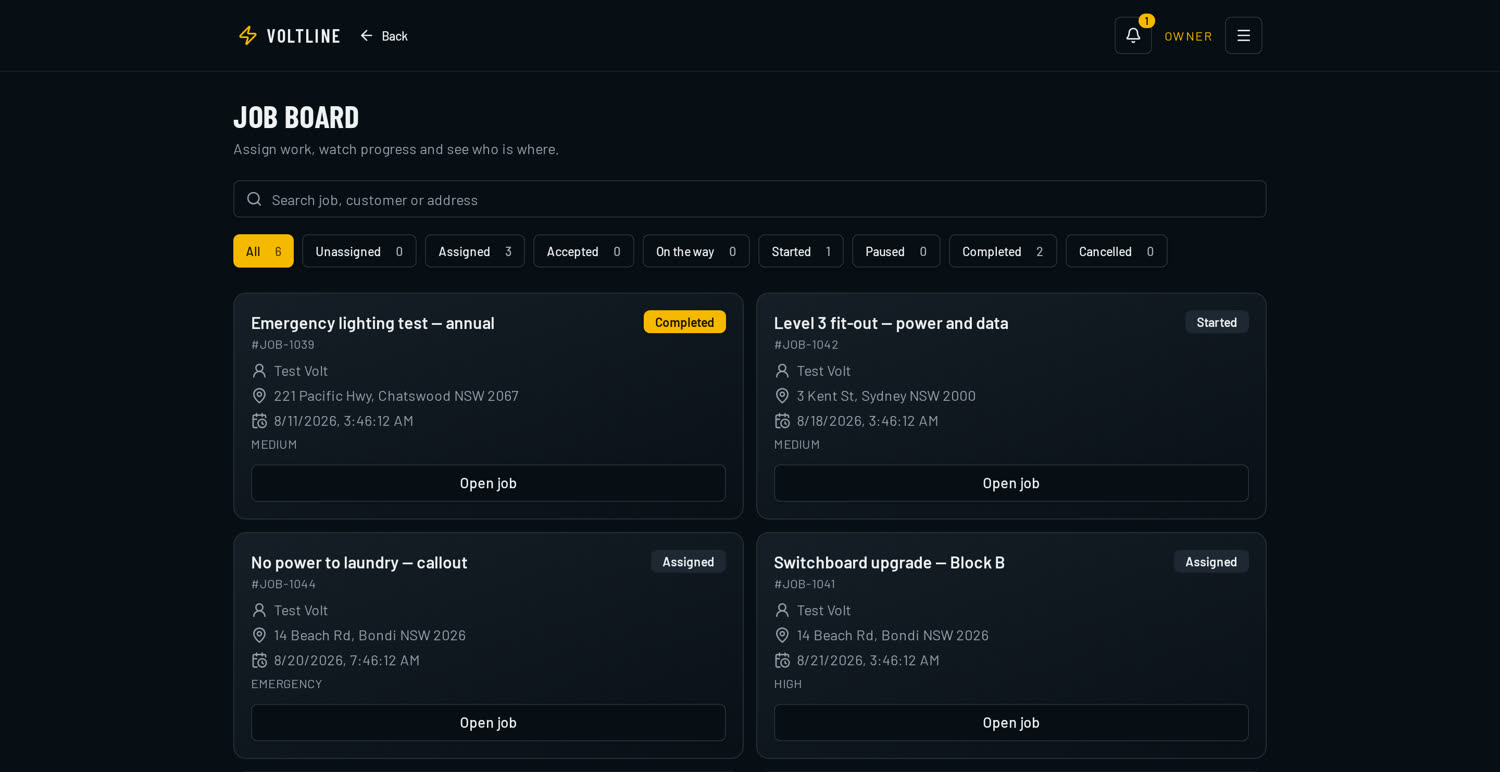
VoltLine job board showing job cards with Completed, Started and Assigned status badges.
The job board for unallocated and in-progress work.

Pro and above

Quoting

Line-item quotes with GST, take-off calculators (area, linear, volume, count, pitch factors), trade price books and a shareable approval link the customer signs online.

Faster, more consistent pricing — and accepted quotes convert to jobs in a click.

  • Take-off calculators for area, linear metres, volume, count and roof pitch
  • Trade price books so pricing stays consistent across the crew
  • Customer approval link with online sign-off
  • Live open-pipeline value across every quote out the door
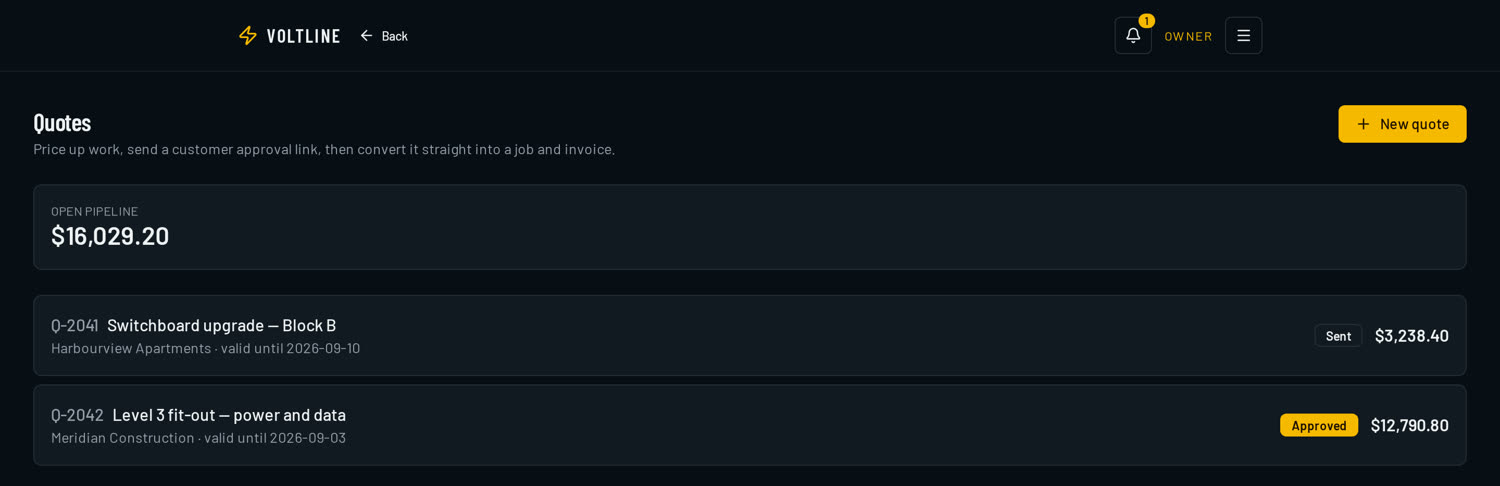
VoltLine quotes screen showing an open pipeline value of $16,029.20 and quotes marked Sent and Approved.
Line-item quotes with live pipeline value and customer approval status.

Pro and above

Job costing & profitability

Labour, materials, plant hire and supplier invoices tracked against each job, with your material and labour markups applied automatically.

You find out a job lost money while you can still do something about it.

  • Labour, materials, plant hire and supplier invoices land on the job
  • Automatic material and labour markups
  • Live margin per job, not a guess at the end of the month

Inside the app

Labour, materials, plant hire and supplier invoices tracked against each job, with your material and labour markups applied automatically.

Pro and above

Invoicing & payments

Invoices generated from the job, progress claims with retention, payment recording, overdue tracking and automated reminders on higher plans.

Cash comes in sooner and nothing slips through unbilled.

  • Invoices built from what actually happened on site
  • Progress claims with retention held and released
  • Outstanding and overdue tracking on one dashboard
  • Automated reminders on Premium and Volt
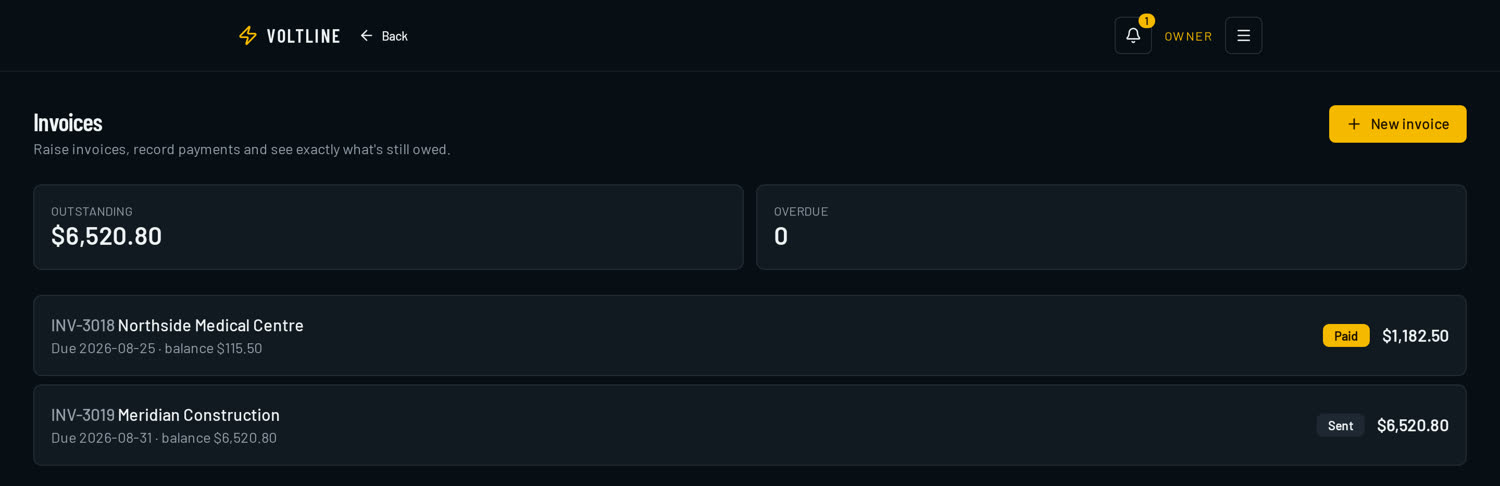
VoltLine invoices dashboard showing outstanding and overdue totals above a list of recent invoices.
Invoices raised straight from the job, with paid and outstanding tracking.

Pro and above

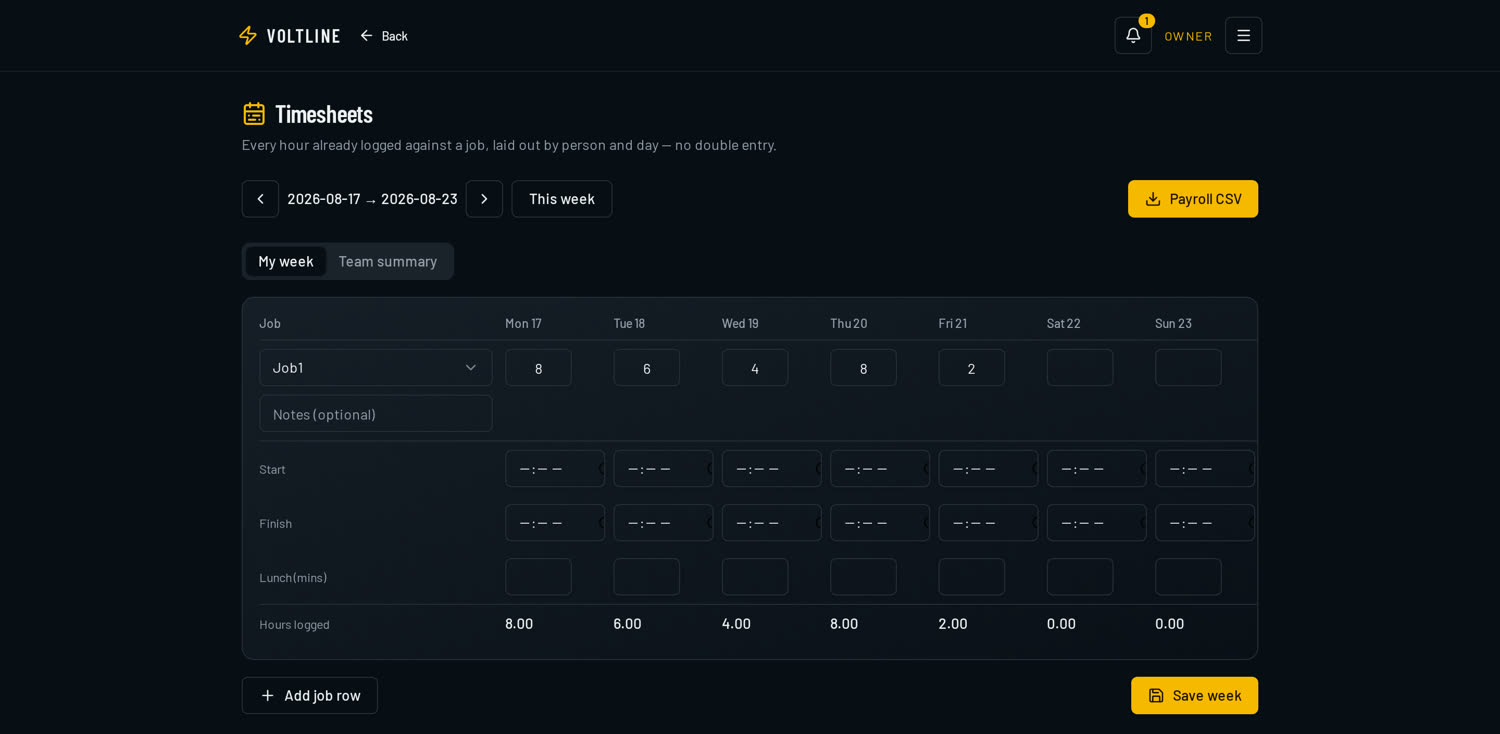
Timesheets

A weekly timesheet grid where staff enter hours per job plus start, finish and lunch breaks. Advanced timesheets add allowances and payroll-ready exports.

Payroll takes minutes, and hours are tied to the job they belong to.

  • Weekly grid, hours entered per job
  • Start, finish and lunch break capture
  • Allowances and payroll-ready exports on Premium and Volt
VoltLine timesheets screen showing a weekly grid where hours are logged against each job.
Weekly timesheets — hours per job plus start, finish and lunch breaks.

Basic docs on Pro · Full suite on Premium and Volt

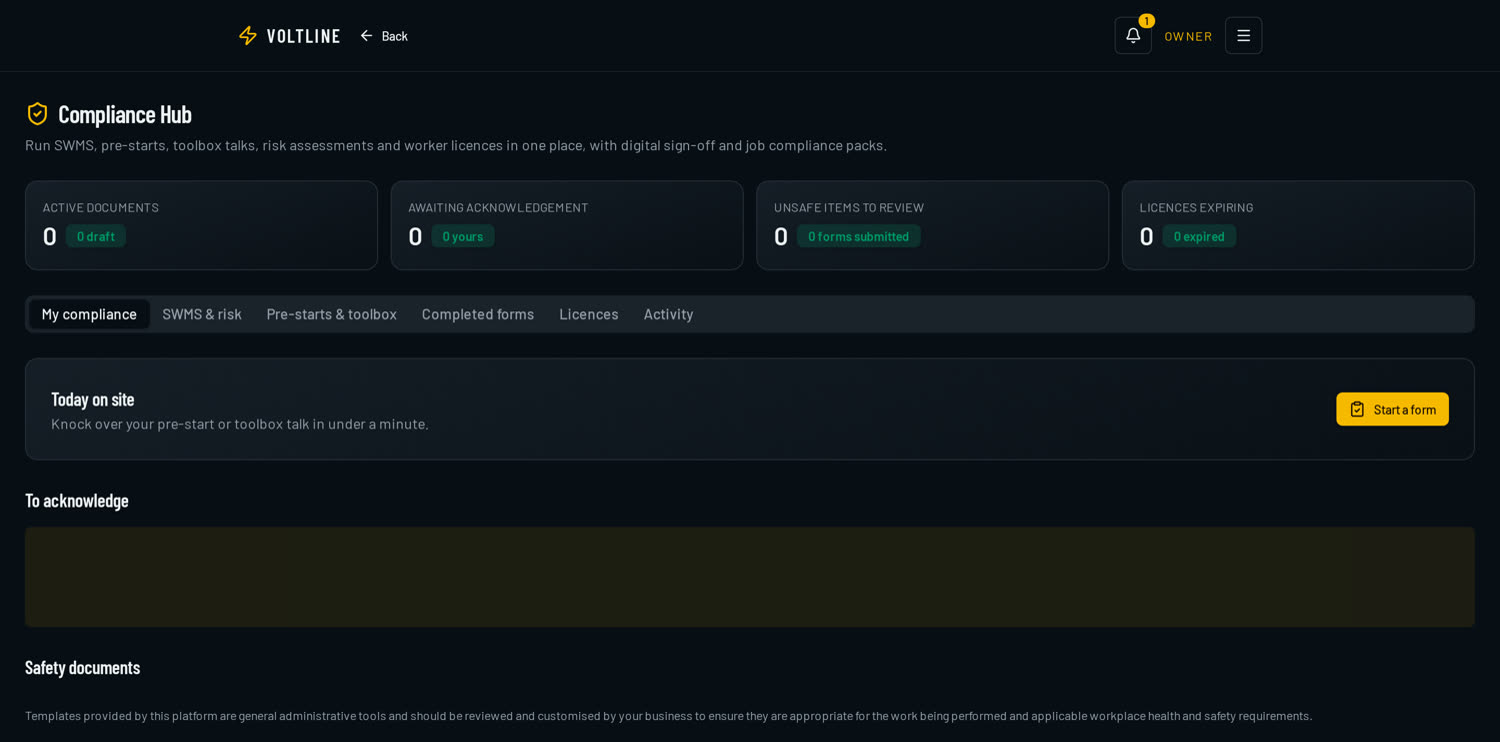
Compliance hub

SWMS, JSA and pre-start forms crews complete on their phone, worker credentials with expiry reminders, certificates, document storage, digital signatures and printable compliance packs.

You can produce the paperwork on the spot when a builder or regulator asks.

  • SWMS, JSA and pre-start forms filled in on a phone
  • Worker credentials and licences with expiry reminders
  • Certificates, document storage and digital signatures
  • Printable compliance packs per job or per site
VoltLine compliance hub showing active documents, items awaiting acknowledgement, unsafe items to review and licences expiring.
SWMS, pre-starts, credentials and certificates stored against the business.

Pro and above

Materials, stock & suppliers

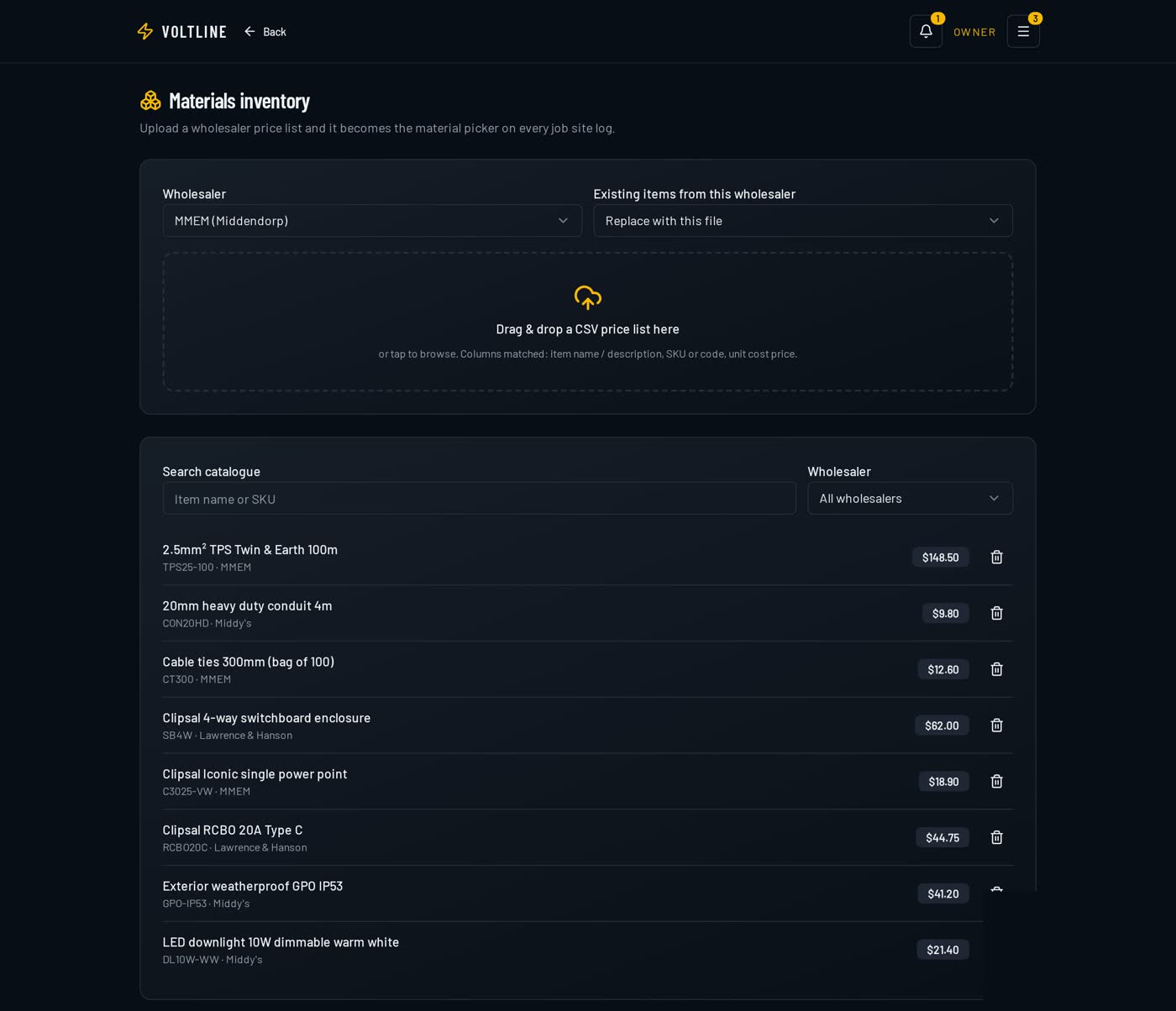
Trade price books, cutting lists, spec sheets, equipment registers with maintenance schedules and supplier purchase orders emailed as PDFs.

Less time at the trade counter, fewer wrong-material return trips.

  • Trade price books and cutting lists
  • Spec sheets attached to jobs
  • Equipment register with maintenance schedules
  • Purchase orders emailed to suppliers as PDFs
VoltLine materials inventory showing a wholesaler price list with item names, SKU codes and unit cost prices imported by CSV.
Wholesaler price lists imported by CSV and searchable from every job.

Pro and above

Van stock

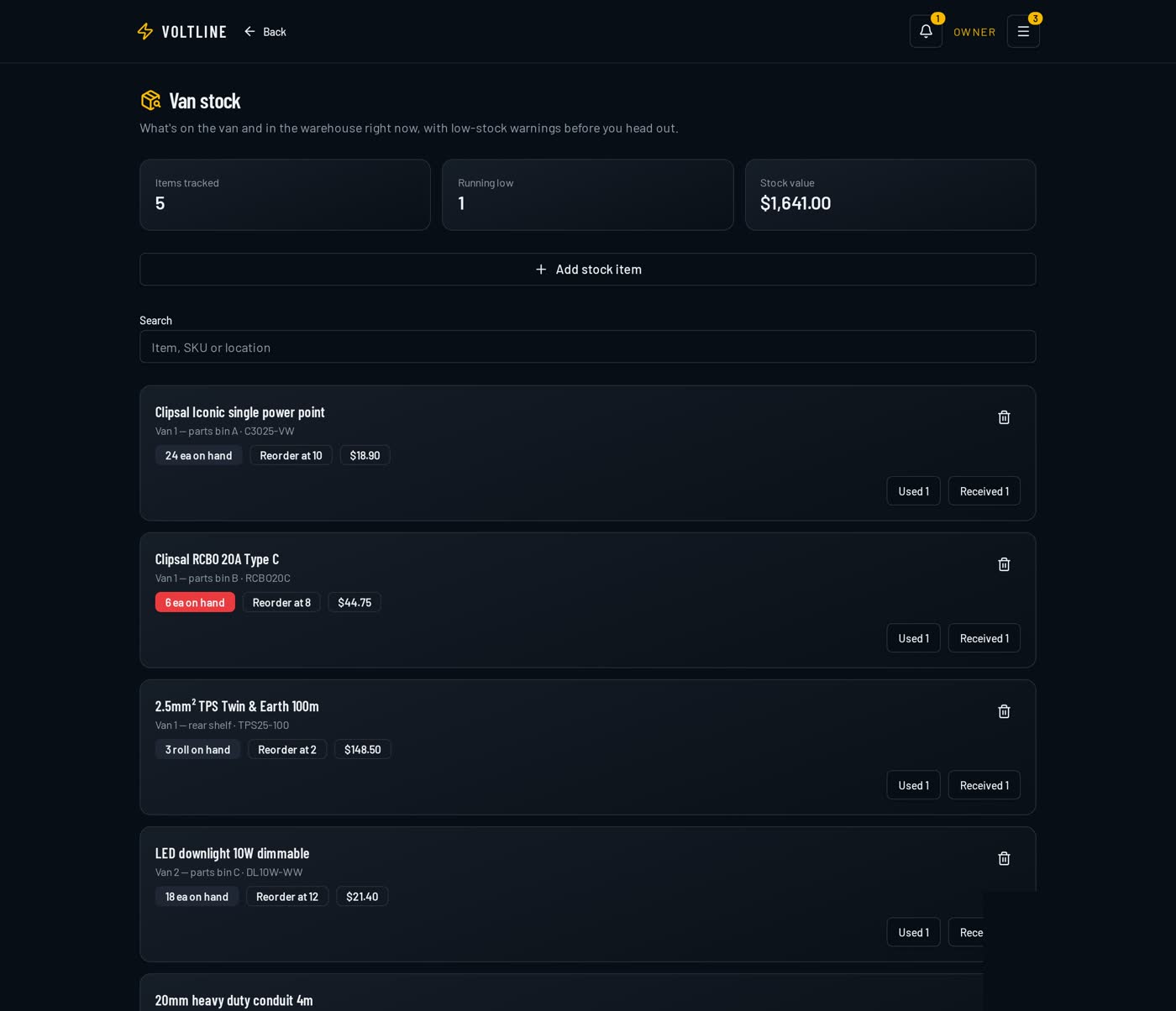
Live on-hand counts per van and bin location, reorder levels, low-stock warnings and the total value of stock sitting in your vehicles.

You know what's on the van before you drive to site, not after.

  • On-hand counts per van and bin location
  • Reorder levels with low-stock warnings
  • Total stock value across the fleet
VoltLine van stock screen showing items tracked, low-stock warnings, bin locations, reorder levels and total stock value.
Van stock — on-hand counts, bin locations, reorder levels and stock value.

Premium and Volt

Equipment & maintenance register

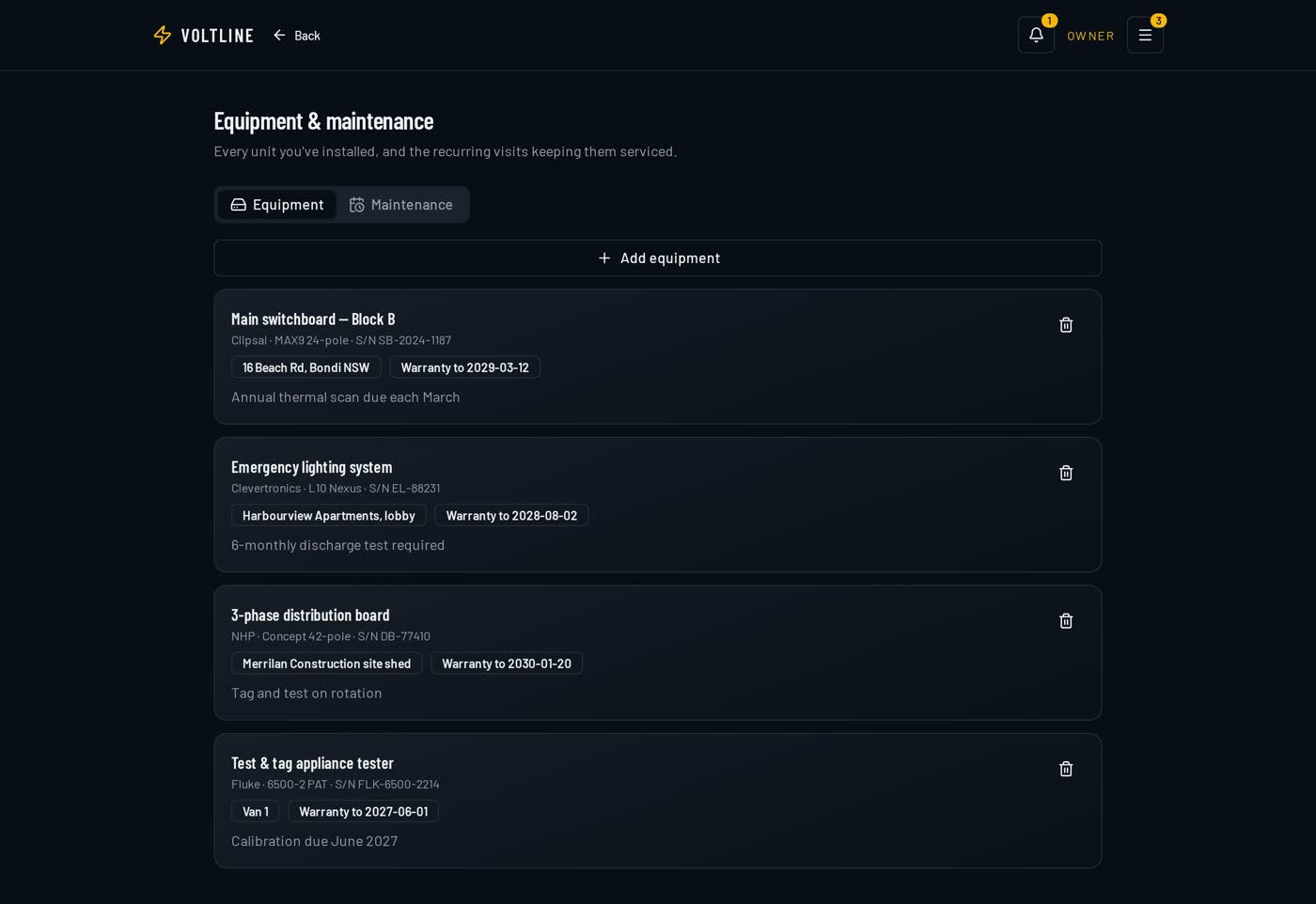
Every unit you install or own, with make, model, serial, location, warranty expiry and the recurring service visits attached to it.

Recurring maintenance work books itself instead of being forgotten.

  • Make, model, serial, location and warranty expiry
  • Recurring service visits attached to each unit
  • Test equipment and owned plant tracked alongside installed assets
VoltLine equipment and maintenance register listing installed units and test equipment with warranty dates and service schedules.
Equipment register with warranties and recurring maintenance visits.

Basic on Standard · Advanced on Pro · Assistant and receptionist on Volt

AI helpers

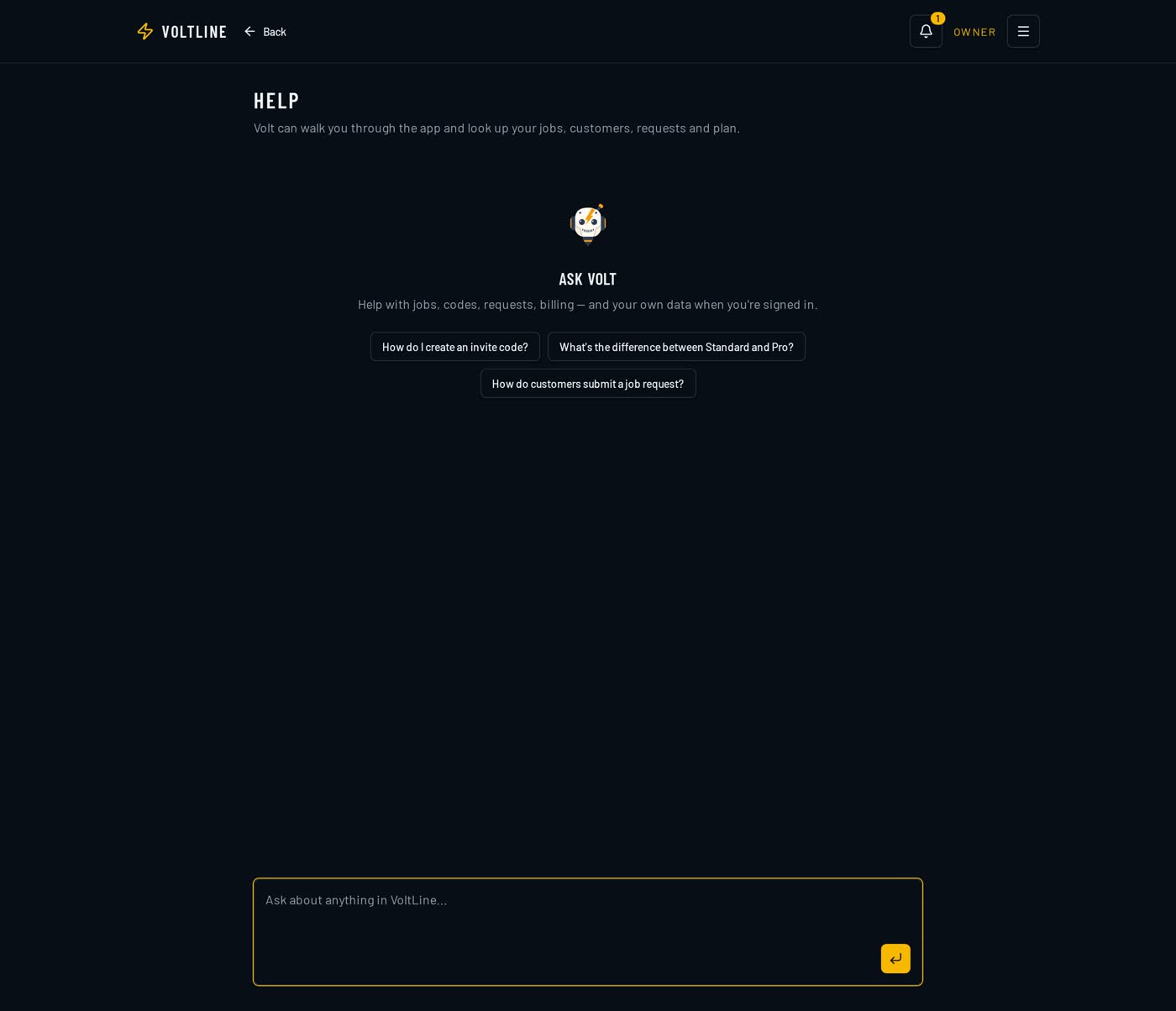
AI assistance for scoping, quote wording, job write-ups and customer messages, plus automatic 'on my way' ETA texts. Volt adds a business assistant across your data and an AI receptionist.

The admin writing gets done in seconds instead of evenings.

  • Scope, quote wording and job write-ups drafted for you
  • Automatic 'on my way' ETA texts to customers
  • AI business assistant across your whole business data on Volt
  • AI receptionist on Volt
Volt, the in-app AI assistant, answering a question about the business inside VoltLine.
Volt — the in-app assistant that answers questions across your business.

Premium and Volt

Customer portal

A live job-tracking page you share with each customer showing progress, documents and approvals.

Fewer 'where are you up to?' calls, and it makes you look bigger than you are.

  • Live job progress the customer can watch
  • Documents and approvals in one shared place
  • Branded to your business

Inside the app

A live job-tracking page you share with each customer showing progress, documents and approvals.

Pro and above

Reporting & analytics

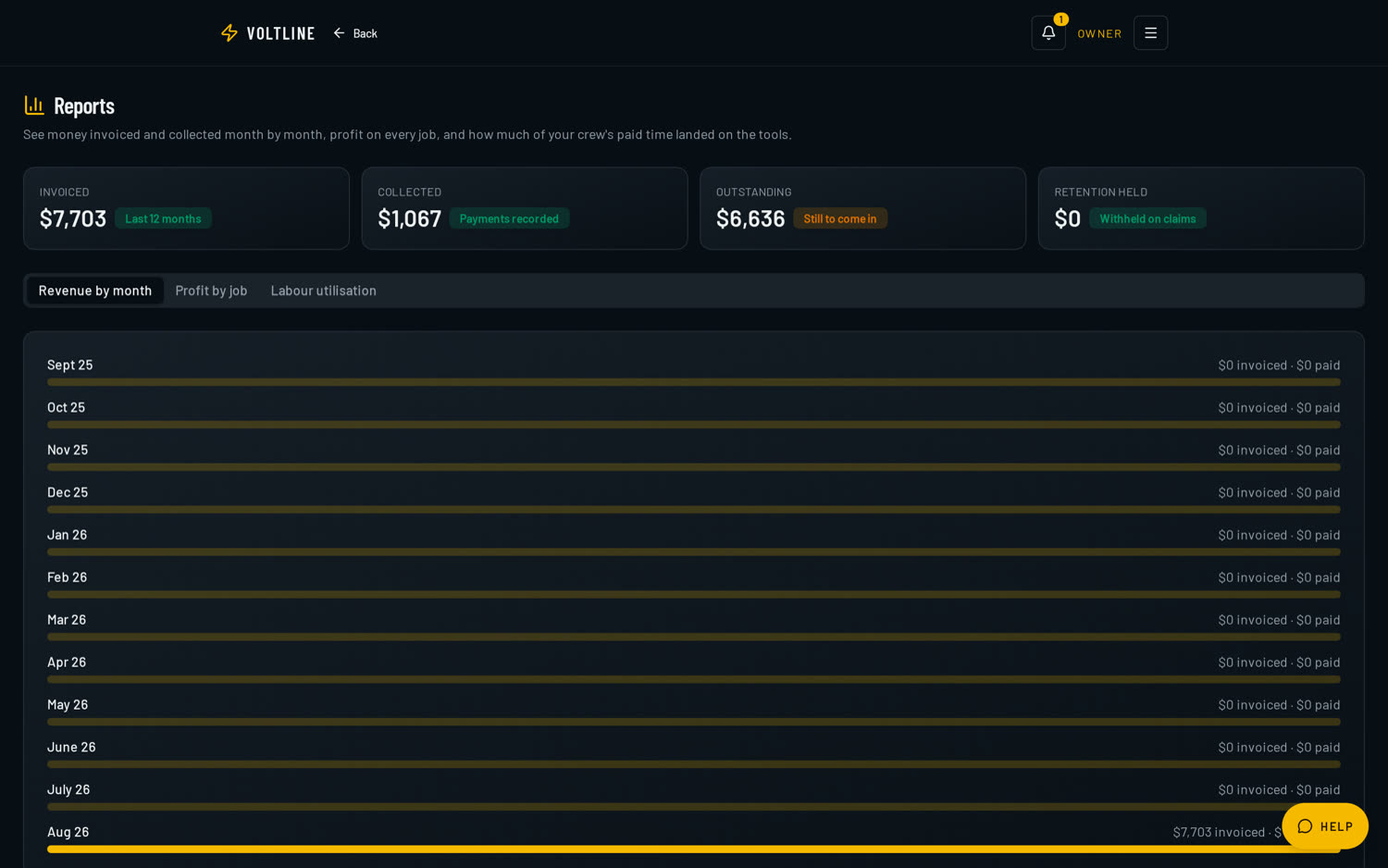
Revenue, job profitability, labour utilisation and customer reports, plus trend analytics and CSV export on higher plans.

Decisions based on numbers rather than gut feel.

  • Invoiced, collected, outstanding and retention held
  • Revenue by month and profit per job
  • Labour utilisation and customer reports
  • CSV export on Pro and above, full export on Volt
VoltLine reports dashboard showing invoiced, collected, outstanding and retention held totals with a monthly revenue breakdown.
Revenue by month, profit per job and crew utilisation in one view.

Pro and above

Accounting quicklinks & migration

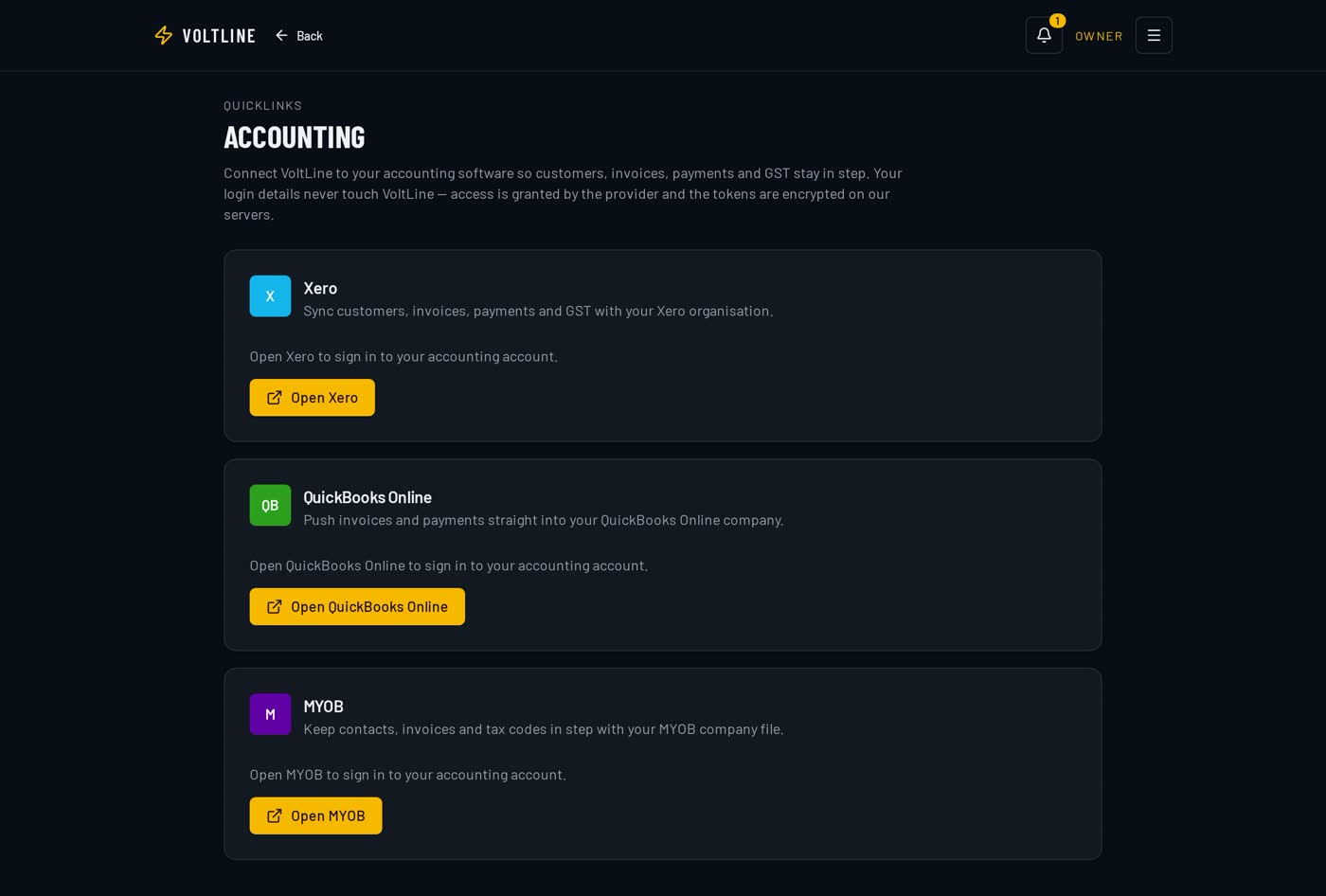
Quicklinks to Xero, QuickBooks Online and MYOB for invoices and payments, plus ServiceM8 migration tools that bring customers, jobs, staff and materials across.

You keep your accountant happy and you're not starting from a blank app.

  • Xero, QuickBooks Online and MYOB quicklinks
  • ServiceM8 migration for customers, jobs, staff and materials
VoltLine accounting quicklinks screen with shortcuts into Xero, QuickBooks Online and MYOB for invoices and payments.
Accounting quicklinks — jump straight into Xero, QuickBooks or MYOB.

Pro and above

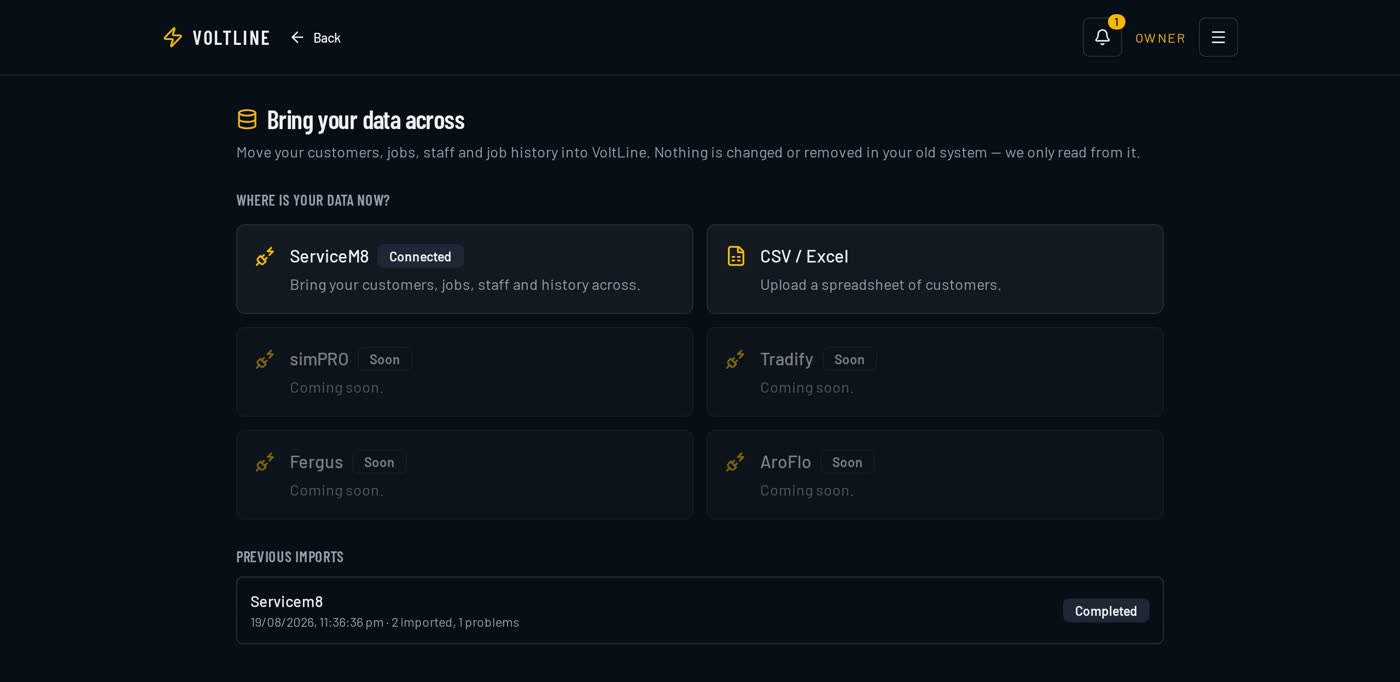
Bring your data across

Import customers, jobs, staff and materials from ServiceM8 or a CSV, with a preview of what will land before anything is written.

Switching doesn't mean re-typing years of customer records.

  • ServiceM8 and CSV imports for customers, jobs, staff and materials
  • Preview and map your columns before importing
  • Import in stages so the crew keeps working
VoltLine data migration screen showing ServiceM8 and CSV import options for customers, jobs, staff and materials.
Data migration — bring customers, jobs, staff and materials across.

All plans

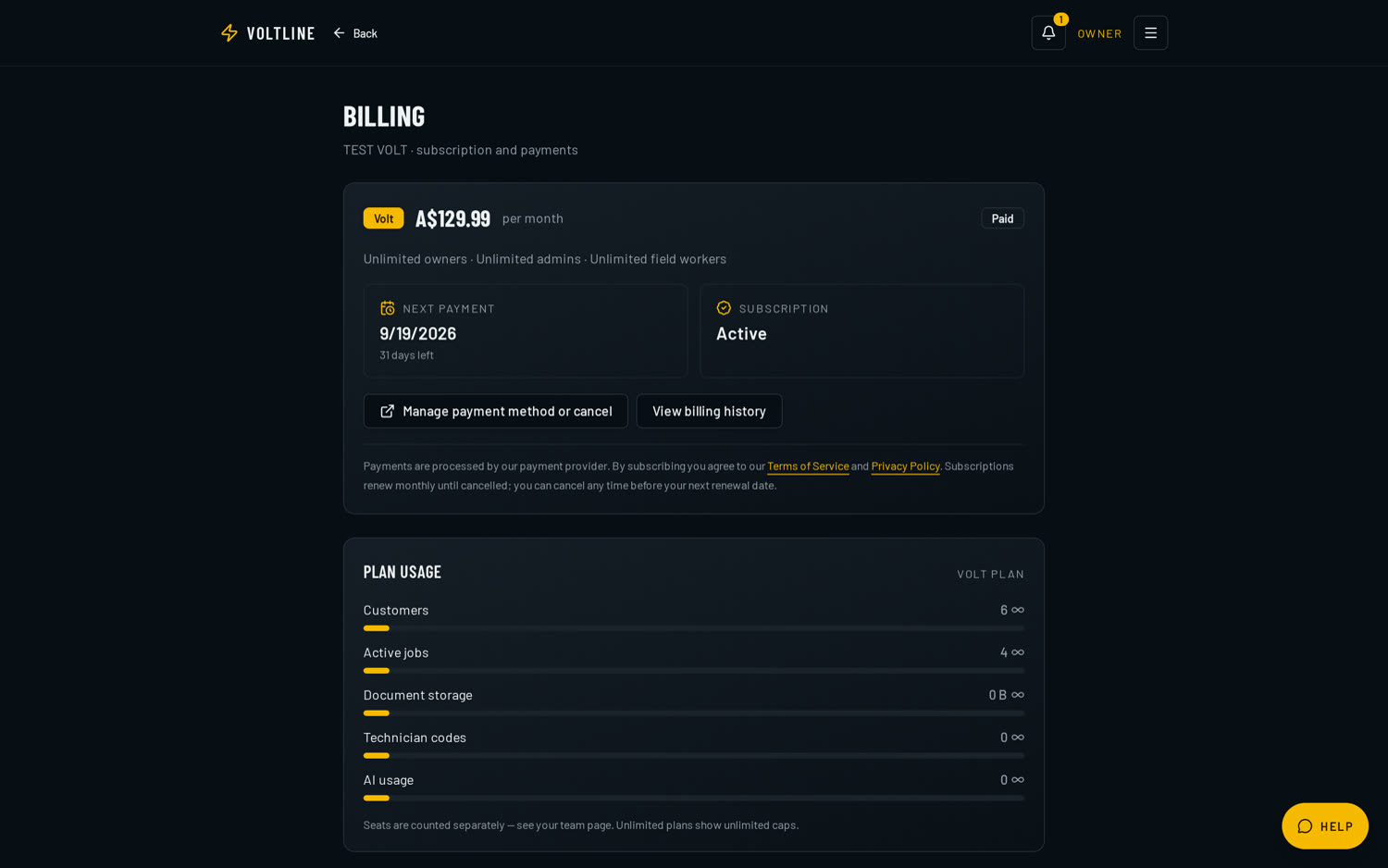
Subscription & billing

Your plan, your usage against each seat limit and a one-tap upgrade, all inside the app. Billing is handled by Paddle as Merchant of Record.

You always know what you're paying for and what you've used.

  • Plan and renewal date in plain sight
  • Usage against every seat limit
  • One-tap upgrade, cancel any time before renewal
VoltLine in-app billing screen showing the current plan, usage against seat limits and an upgrade button.
In-app billing — plan, usage against limits and one-tap upgrade.

All plans

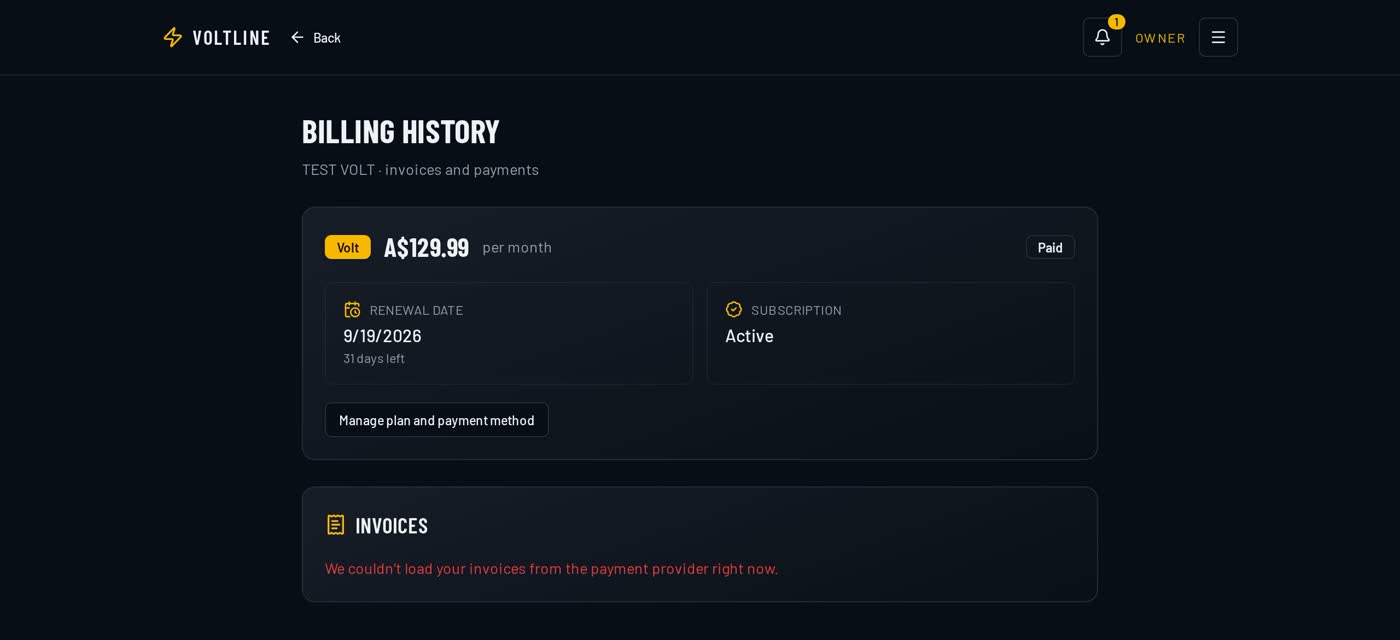
Billing history & tax invoices

Every payment listed with its date, amount and status, and a downloadable tax invoice for each one.

Your bookkeeper gets the paperwork without emailing you for it.

  • Payment history with date, amount and status
  • Downloadable tax invoice for every charge
  • Handled by Paddle as Merchant of Record
VoltLine billing history listing past payments with dates, amounts, paid status and downloadable tax invoices.
Billing history — every payment with a downloadable tax invoice.

All plans

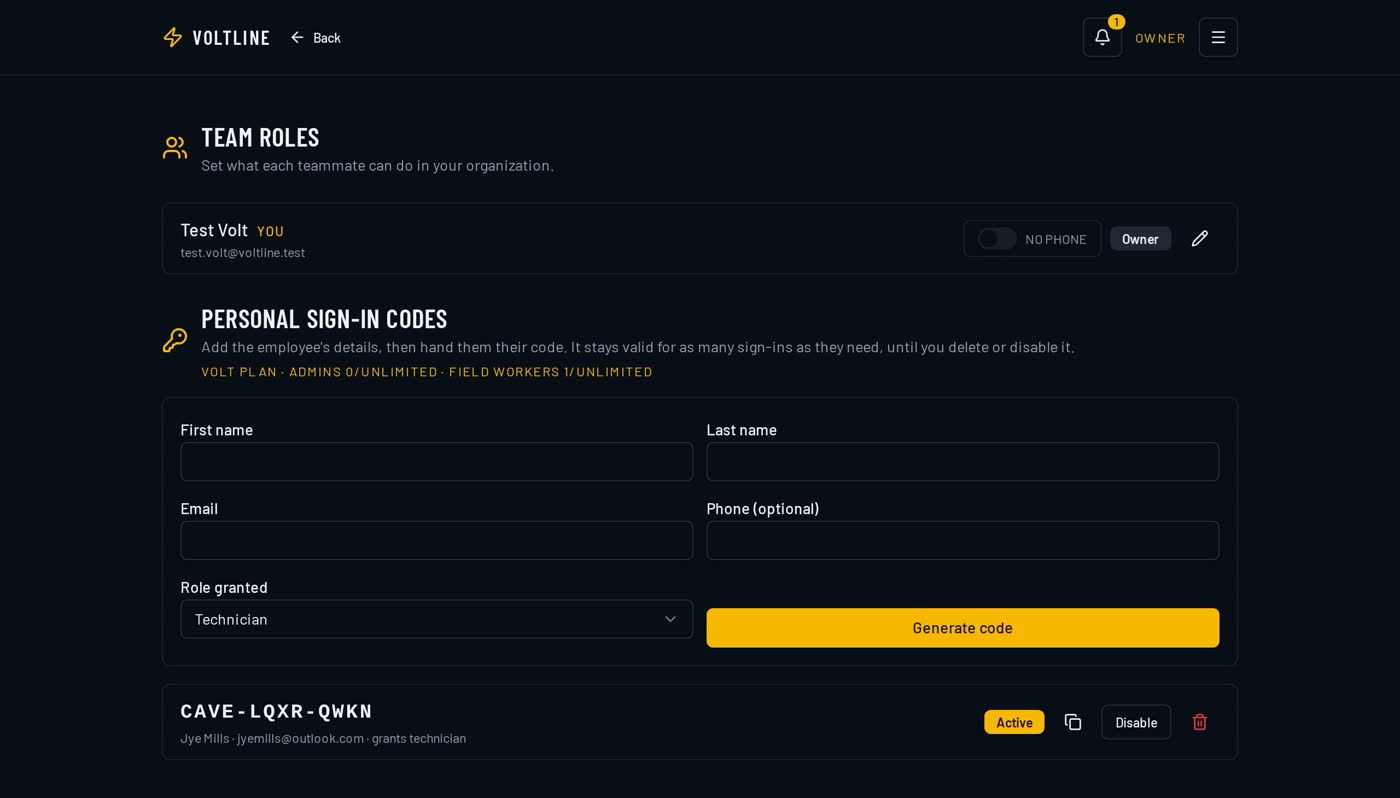
Team, roles & sign-in codes

Add staff, set their role, and hand out a simple sign-in code so field workers can get into the app on their own phone without an email dance.

People only see what their role needs, and onboarding a new hand takes a minute.

  • Owner, admin, office, field worker and subcontractor roles
  • Per-worker sign-in codes for fast mobile onboarding
  • Seat usage shown against your plan limits
  • Deactivate a worker without losing their job history
VoltLine team screen listing staff with their roles, status and sign-in codes for mobile access.
Team management — roles, seat usage and worker sign-in codes.

All plans

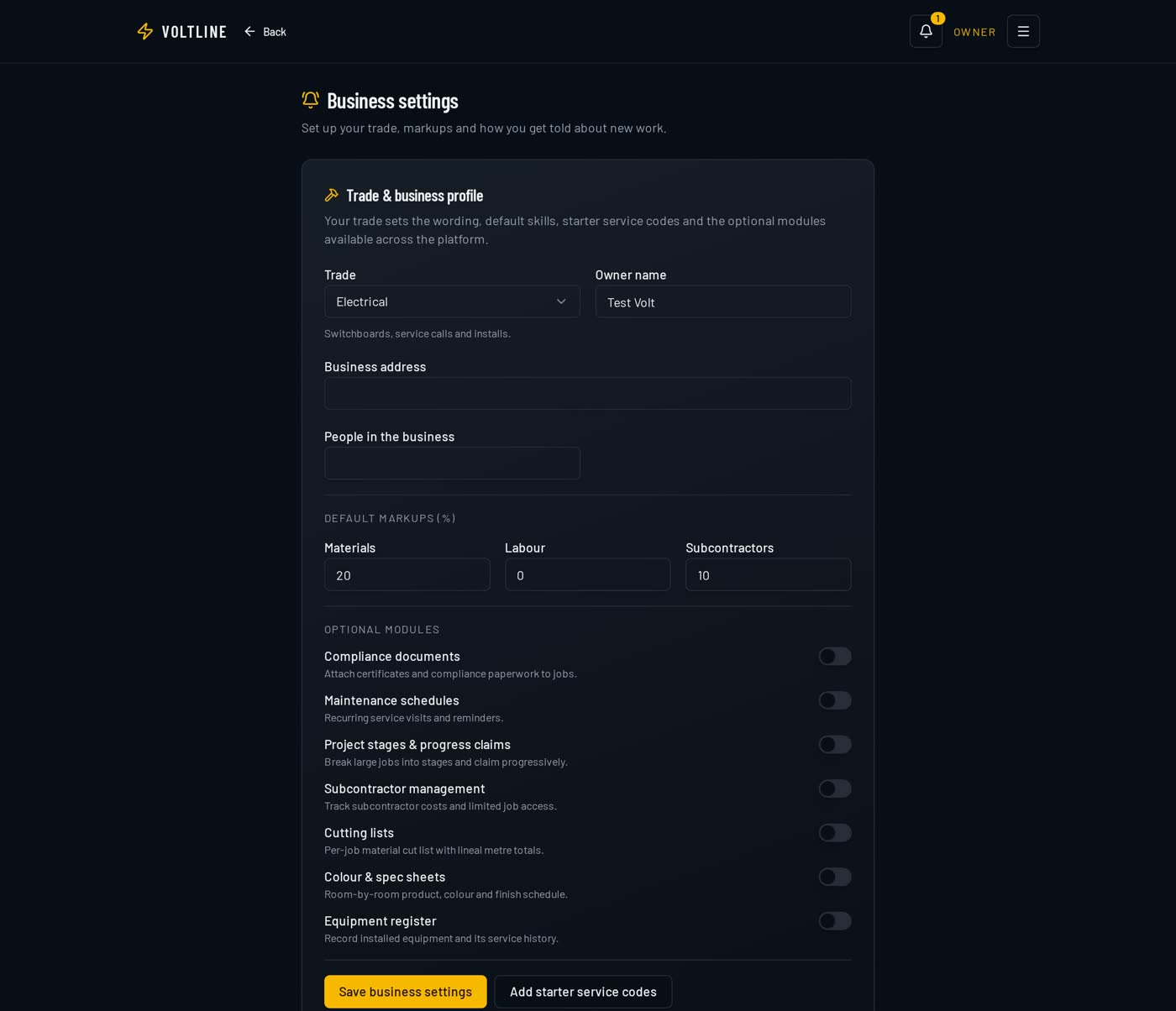
Business settings & trade setup

Your business details, ABN and GST, logo, trade type, default markups, labour rates and the templates the app uses across quotes, invoices and forms.

Set it once and every document that leaves the business looks the same.

  • Business details, ABN, GST and logo on every document
  • Trade type that configures price books and forms
  • Default labour rates and material markups
  • Quote, invoice and form templates in one place
VoltLine business settings screen showing company details, ABN and GST settings, trade type and default rates.
Business settings — details, trade type, rates and document branding.

Your next job could start in Voltline.

Set your business up in six steps, add your crew, share your request link, and run the whole job — schedule, site log, signature and invoice — in one place.